
Finding your way around the dashboard
The dashboard is organised around one active server. Every action, statistic and setting on screen applies to that server. Open it directly from the Kotbo Dashboard ↗.
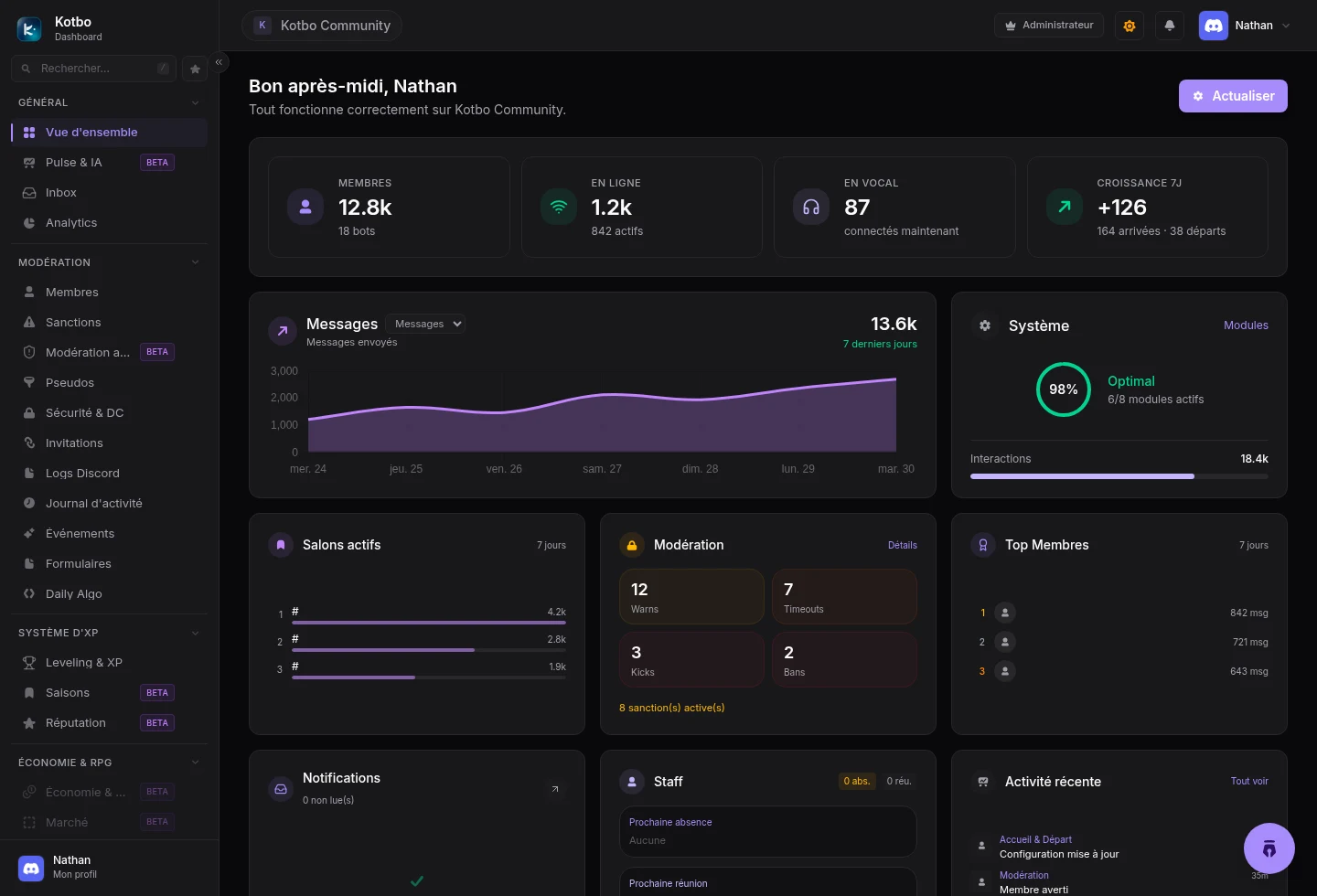
The four areas to know
Section titled “The four areas to know”- The active server, in the top bar. Click it to switch servers.
- The sidebar, grouped by purpose: General, Moderation, Security, XP system, Economy & RPG, Community, Staff, Cross-server and Configuration. Right at the bottom, outside those groups, sit Administration (reserved for the instance administrators), Billing and your profile.
- The main area, which shows the page you picked and its actions.
- Your profile, in the top right, to replay the tutorial, open your settings or sign out.
The overview
Section titled “The overview”The home page brings together everything your team needs at a glance: members, online activity, voice channel usage, growth and recent events.
The Edit layout button lets you move, hide or resize the blocks. Your layout is personal: it does not change what the rest of the staff sees.
Quick navigation
Section titled “Quick navigation”| Shortcut | Action |
|---|---|
| / | Search the sidebar |
| Ctrl + K | Search the sidebar (twice: command palette) |
| Ctrl + G | Switch server |
| G then D, or Ctrl + Shift + D | Open the overview |
| G then M, or Ctrl + Shift + M | Open members |
| G then C, or Ctrl + Shift + C | Open the Management center |
| G then L, or Ctrl + Shift + L | View the activity logs |
| Ctrl + Shift + N | Show every shortcut |
Shortcuts do not fire while you are typing in a field or a text area.
The emoji picker
Section titled “The emoji picker”Everywhere a setting asks for an emoji - reactions, ticket panels, rules, shop, welcome messages - the picker offers three sources:
- Emojis: the standard Unicode emojis.
- Server: your server’s custom emojis, with the number of slots used.
- Upload: create an emoji directly on the server from an image (PNG, JPEG, GIF or WEBP), giving it a name.
Badges and page states
Section titled “Badges and page states”- Beta: the feature works but may still change. You can report a problem from the banner on the page.
- WIP: the feature is not available yet, or needs specific activation.
- Module disabled: the page can disappear from the navigation until the module is enabled.
Carry on with enabling your modules.